Fast Track Overview
SCR-SETUP-09 · Project Setup
ScopedFigma
197:2429design drifted since last syncLayout
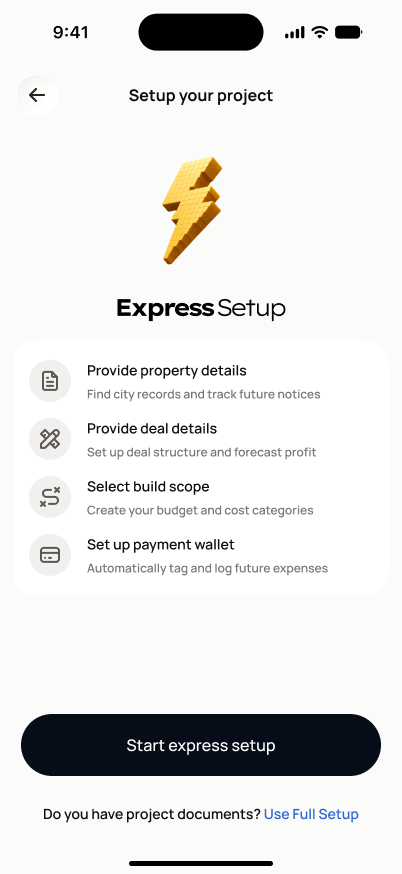
Back arrow + "Setup your project" header title (no step-progress badge on this screen — it's the pre-step-1 landing). Centered 3D lightning-bolt icon, bold "Express Setup" title. One white card with the 4 steps, each row showing a circular icon, bold label, gray description. Full-width black "Start express Setup" button, with a centered "Do you have project documents? Use Full Setup" text link directly below it.
States
- **Default**: overview shown, not yet started.
- **Resuming**: if the user left mid-Fast-Track-setup previously, "Start express Setup" resumes at their last saved step instead of restarting.
Acceptance criteria
- The screen shows the shortened Fast Track journey (4 steps: property details, deal details, build scope, payment wallet) and explains that details can be added later.
- Continuing routes the user to SCR-SETUP-03 (the minimum property details step).
- Progress made after this screen is saved automatically if the user leaves mid-setup.
- Once the project is created, any missing full-setup sections appear as follow-up tasks on the project dashboard.
- The project created via this route is the same underlying project type as Full Setup — differing only in how much data was captured and the initial confidence level.
- "Use Full Setup" switches the user to SCR-SETUP-02 without losing anything entered so far.
Endpoints
None mapped yet — the backend agent will own these.