Property Records Search
SCR-SETUP-04 · Project Setup
LiveFigma
1304:8069Layout
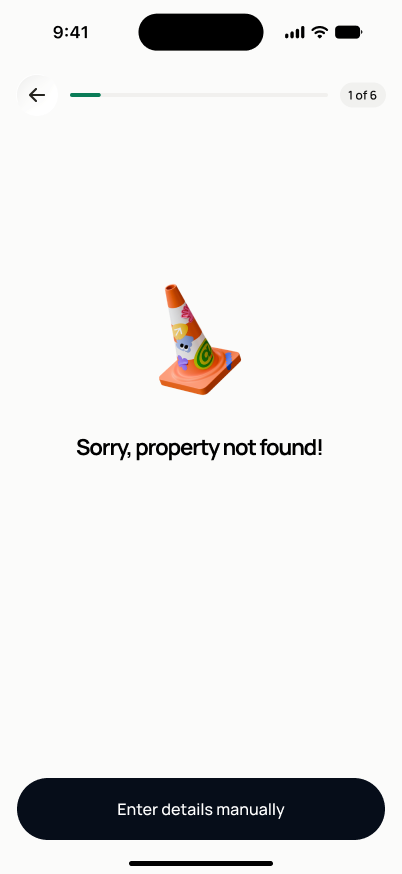
Same shell as SCR-SETUP-03 (back arrow, "1 of 4" progress badge in Fast Track). Centered 3D icon (a folder/briefcase while in progress, a traffic cone when not found). Bold headline ("searching…" / "Sorry, property not found!") + gray subtext. In-progress state: one white card listing the 4 stages, each with an icon and a trailing spinner/checkmark. Not-found state: no card, just the headline and a single full-width "Enter details manually" button.
States
- **In progress**: lookup steps shown with a loading/progress indicator per stage.
- **Records found**: auto-routes to SCR-SETUP-05.
- **Partial records found**: auto-routes to SCR-SETUP-05 with available data shown and missing fields marked.
- **No records / timeout**: shows retry and "continue with manual entry" actions; does not auto-advance.
Acceptance criteria
- The lookup steps (county records, deed/title, assessment data) are shown with progress as the search runs.
- If records are found, the user is taken to SCR-SETUP-05 automatically.
- If only partial records are found, the user is still taken to SCR-SETUP-05, with missing fields clearly marked rather than silently absent.
- If no records are found or the search times out, the user can retry the search or continue with manual entry — setup is never blocked here.
- The source and date/time of any records returned are stored on the project record.
Powered by — endpoints · the Backend agent owns these
GET /properties/search