Select Build Scope
SCR-BUDGET-07 ·
ScopedFigma
475:6529design drifted since last syncLayout
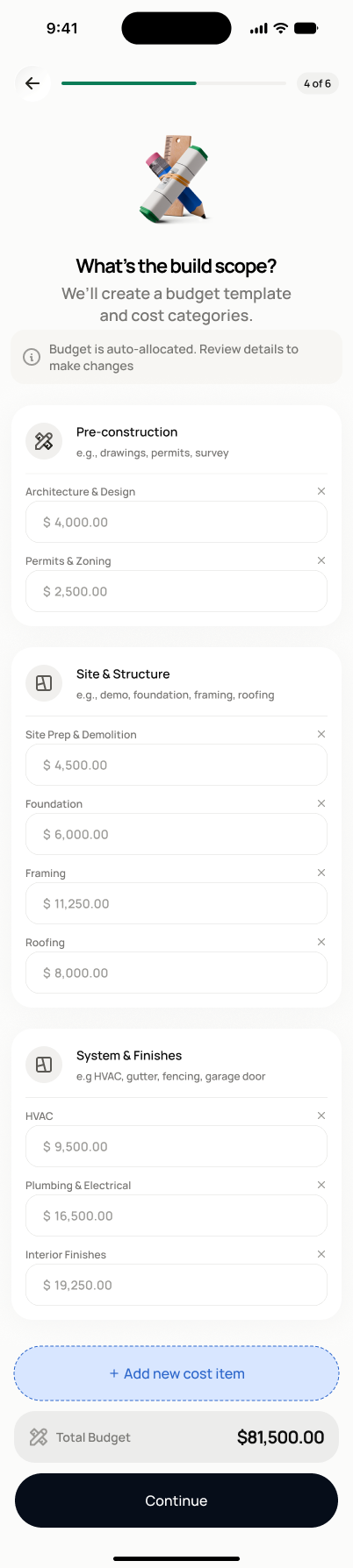
Back arrow + progress badge ("3 of 4" in Fast Track context, none in Full Setup). Centered 3D icon (crossed pencil/ruler). Bold headline "What's the build scope?" + gray subtext. One white card with the 4 options as stacked rows: circular icon, bold title, gray description, trailing radio-style selection indicator (filled blue circle + check when selected). Full-width black "Continue" button.
States
- **Default**: no scope selected, continue disabled.
- **Selected**: chosen scope highlighted, continue enabled.
- **Changing scope with existing data**: warning shown that existing line items may be affected.
Acceptance criteria
- Four scope options are shown: Light rehab, Medium rehab, Full gut, New construction.
- I must select one before continuing.
- Selecting a scope loads the relevant budget template or category suggestions on SCR-BUDGET-08 (Full Setup) — on Fast Track, it instead proceeds directly to SCR-WALLET-01 without a detailed budget builder.
- If I change my scope after entering budget data, I see a warning that existing line items may be affected.
Powered by — endpoints · the Backend agent owns these
GET /costs/project-estimatePOST /projects/{project_id}/budget/initializeGET /budget/catalog