Extracting Closing Statement
SCR-BUDGET-04 ·
ScopedFigma
379:4853design drifted since last syncLayout
Show extraction progress on an uploaded closing statement so the investor understands what Dovel is doing, then hand off to review.
States
- **In progress**: steps advance one at a time.
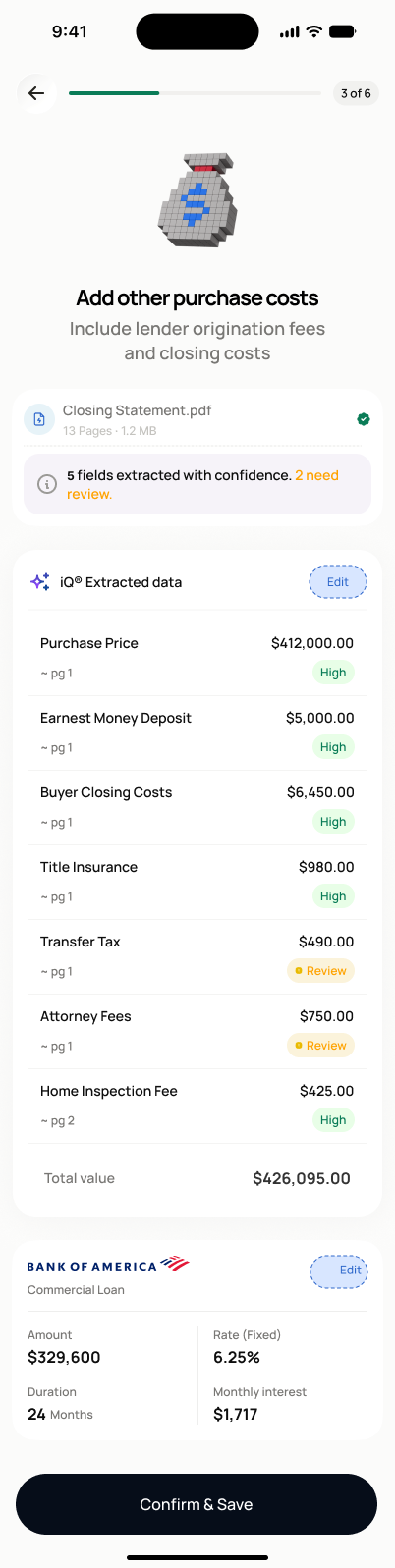
- **Success**: screen transitions to SCR-BUDGET-05 with extracted items, low-confidence/missing-data items flagged.
- **Failure**: error state with retry, replace file, or switch-to-manual options.
Acceptance criteria
- After upload, a progress screen shows extraction steps: reading document, identifying line items, matching categories, checking totals.
- When extraction succeeds, the extracted cost items are displayed for review (navigates to SCR-BUDGET-05).
- Items with low confidence or missing data are clearly flagged with a visual indicator.
- If extraction fails, I can retry the analysis, replace the file (returns to SCR-BUDGET-03), or switch to manual entry (SCR-BUDGET-02).
- Extracted values are stored separately from confirmed values — nothing is treated as final until confirmed on SCR-BUDGET-05.
Endpoints
None mapped yet — the backend agent will own these.