project-setup/guided-full/step-5/reconciliation
project-setup/guided-full/step-5/reconciliation · Figma 504:6227
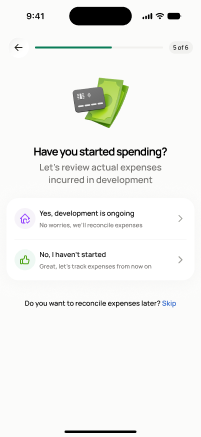
Scopedready for devnot in the frontend yetFigma
504:6227Frontend
No matching Flutter page yet — not built.
Endpoints this screen calls · 1 endpoints, 0 confirmed in code · the Backend agent owns these
GET /projects/{project_id}/reconciliation
Acceptance criteria · drafted by Product agent
- On load, the app calls GET /projects/{project_id}/reconciliation and displays the current reconciliation status and options.
- User can choose to connect a bank via Plaid (screen 26/27), upload statements/CSV (screen 30), or add expenses manually (screens 32-36).
- Screen explains the purpose of reconciliation in the setup flow before the user proceeds.
What's on the screen
—