project-setup/guided-full/step-3/financing/file details
project-setup/guided-full/step-3/financing/file details · Figma 441:8612
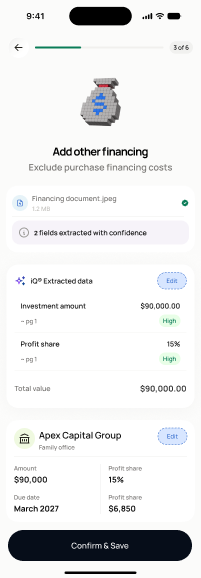
Scopedready for devnot in the frontend yetFigma
441:8612Frontend
No matching Flutter page yet — not built.
Endpoints this screen calls · 1 endpoints, 0 confirmed in code · the Backend agent owns these
GET /projects/{project_id}/financing-costs
Acceptance criteria · drafted by Product agent
- On load, the app calls GET /projects/{project_id}/financing-costs and displays all configured financing sources with their terms.
- User can review the financing file details and proceed to the financing review screen (screen 19).
- If no financing sources exist, the screen shows an empty state with a prompt to add one.
What's on the screen
—